
Introduction
Pulling a User's Completion Certificates
In this topic, you will learn how to pull another user's completion certificate as a Team Admin/Leader.
We estimate that this will take 1 minute to complete.
Detailed Explanation
To pull any completion certificates for a user, you need to locate the user's profile first.
HINT
Skywise Academy does not allow Team Admins/Leaders to pull completion certificates in bulk. This needs to be completed one-by-one.
REMINDER
You must be on the Team View to pull another user's completion certificate. To do so, click the initials in the top-right corner and click the Switch to team view list item.
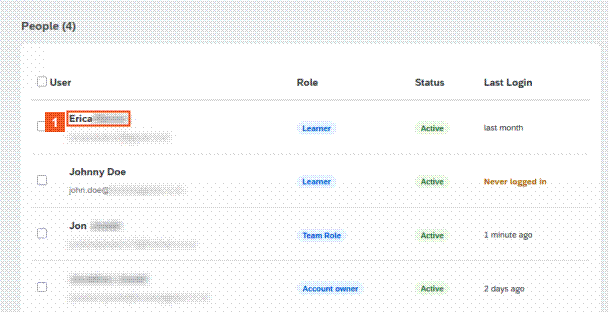
You can either select the user directly from the list, or search for them using the Search field.
Alternatively, if you have a specific team of users, you can enter the Team name, and it will display the list of associated users.
 Click the Erica list item.
HINT
We recommend downloading a completion report prior to pulling the individual completion certificate. This helps narrow down who has completed the associated course.
Note: Completion Certificates are only awarded when all the mandatory modules in a course have been fully completed.
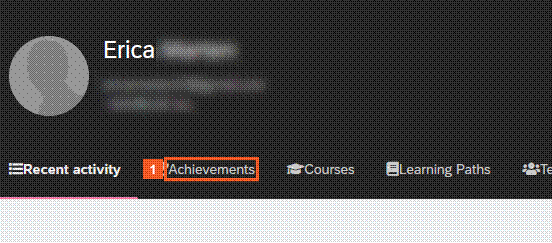
 Click the Achievements tab.
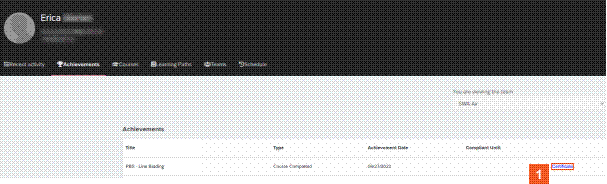
 Click the Certificate hyperlink.
SUCCESS
Congratulations! You have successfully downloaded a completion certificate for a member of your team.